
 Dupline voor ARA-Pro Next
Hardwareconfiguratie: van ARA5 naar ARA-Pro Next
U maakt de huidige Dupline hardware geschikt voor ARA-Pro Next. De afgelopen jaren zijn er twee typen mastermodules gebruikt:
- Type G34960005700: oudere module met sub-D-aansluiting.
- Type SD2DUG24: moderne module.
De juiste configuratie hangt af van het type en aantal mastermodules die u gebruikt.
1. Eén mastermodule type G34960005700
ARA 5
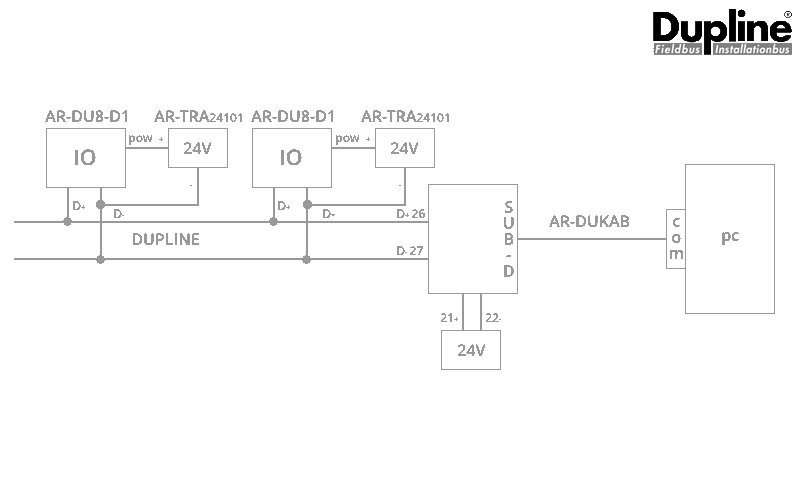
Aanpassen naar ARA-Pro Next
- De AR-DUKAB-kabel is niet meer nodig.
- Verbind een seriële kabel met de RS485-interface van de ARA. U kunt hiervoor een nieuwe kabel gebruiken of de bestaande AR-DUKAB-kabel aanpassen.
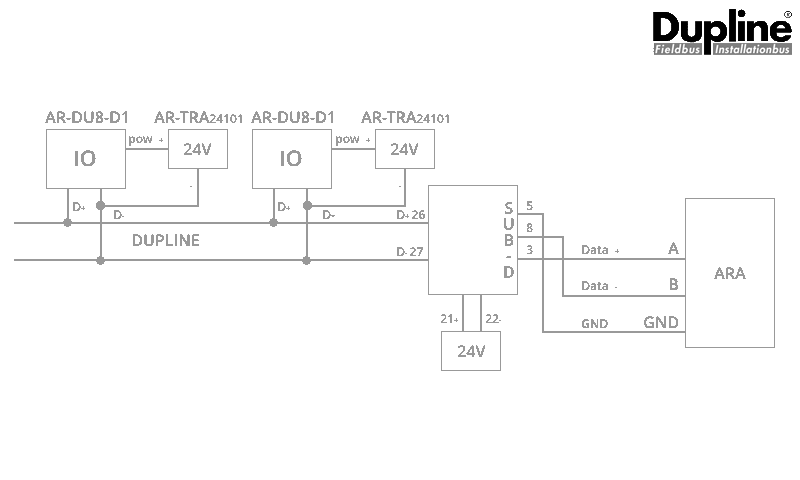
| Kabelnummering | ||
|---|---|---|
| Sub-D male pin 3 | A | RS485 IO-bus (ARA) |
| Sub-D male pin 5 | GND | RS485 IO-bus (ARA) |
| Sub-D male pin 8 | B | RS485 IO-bus (ARA) |
2. Meerdere mastermodules type G34960005700
ARA 5
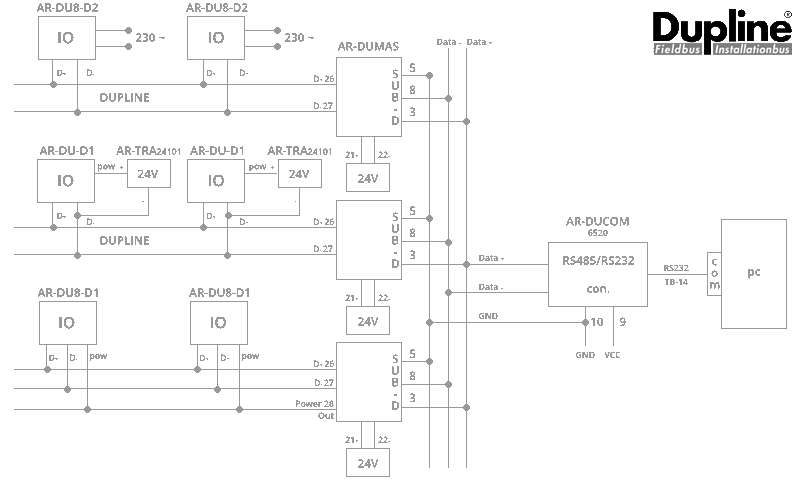
Aanpassen naar ARA-Pro Next
- De AR-DUCOM (RS485/232-converter) en de standaard seriële kabel zijn niet meer nodig.
- Verbind de bestaande bedrading, die eerder naar de AR-DUCOM ging, direct met de RS485-interface van de ARA.
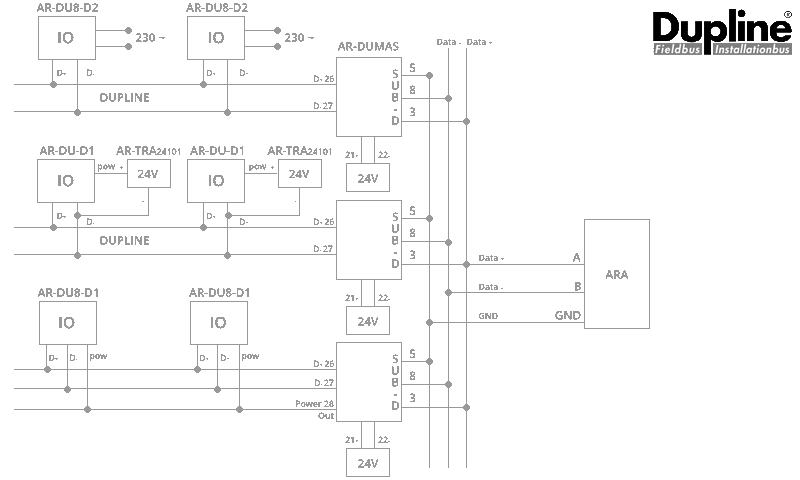
Let op: de mastermodule type G34960005700 is niet meer leverbaar. Nieuwe projecten voert u alleen uit met de SD2DUG24-mastermodule. Nieuwe ARA-projecten met Dupline gebruiken dus altijd onderstaande configuratie.
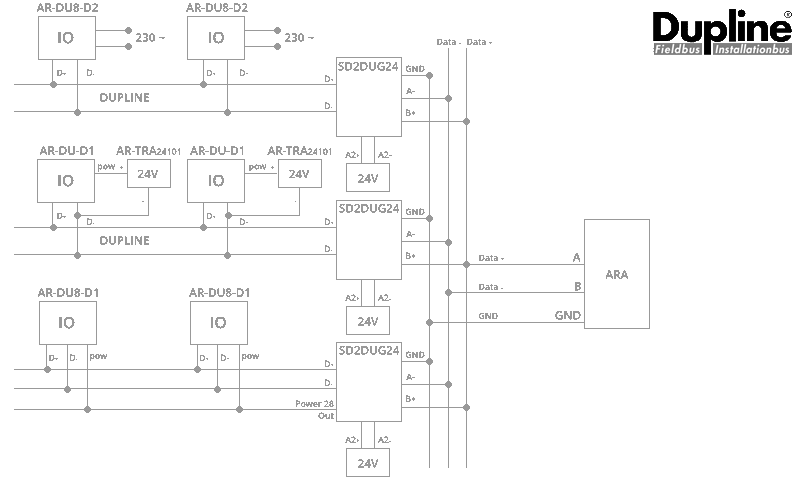
3. Eén of meerdere mastermodules type SD2DUG24
ARA 5
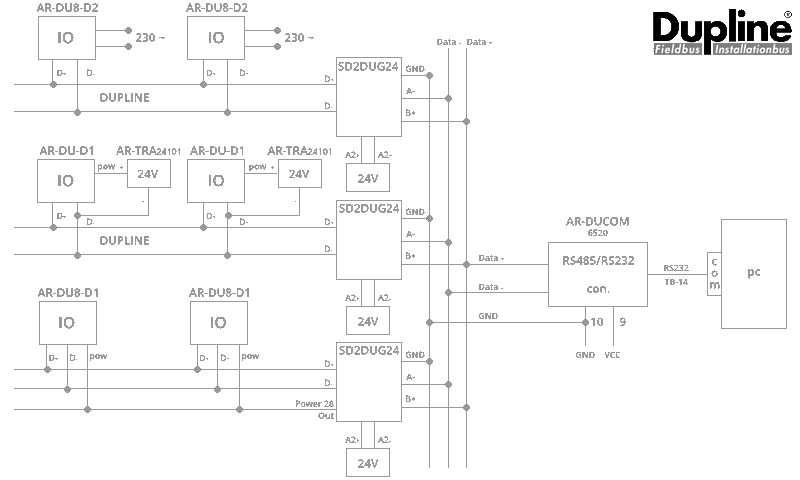
Aanpassen naar ARA-Pro Next
- De AR-DUCOM (RS485/232-converter) en de standaard seriële kabel zijn niet meer nodig.
- Verbind de bedrading direct met de RS485-interface van de ARA.
DUG: insteltool voor mastermodule type SD2DUG24
Gebruikt u meerdere SD2DUG24-mastermodules? Geef dan elke module een uniek ID met de DUG-insteltool.
Download DUG (insteltool SD2DUG24)
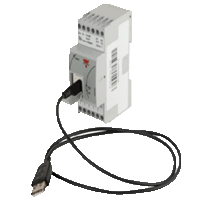 | Verbind de SD2DUG24 via een micro-USB-kabel met uw pc of laptop. |
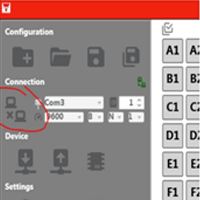 | Start de DUG-tool en klik op het connect-icoon. DUG zoekt automatisch de juiste COM-poort. |
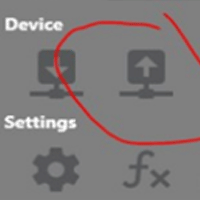 | Lees de huidige instellingen uit. |
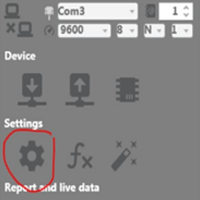 | Klik op het instellingen-icoon. |
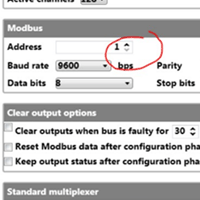 | Stel een uniek ID (Adres) in. |
 | Upload de nieuwe ID's terug naar de module. |
Aanvullende documentatie (downloads)
Downloads zijn alleen in het Engels beschikbaar.